

You'll be able to update the notifications both your staff and your students receive by following the instructions below:
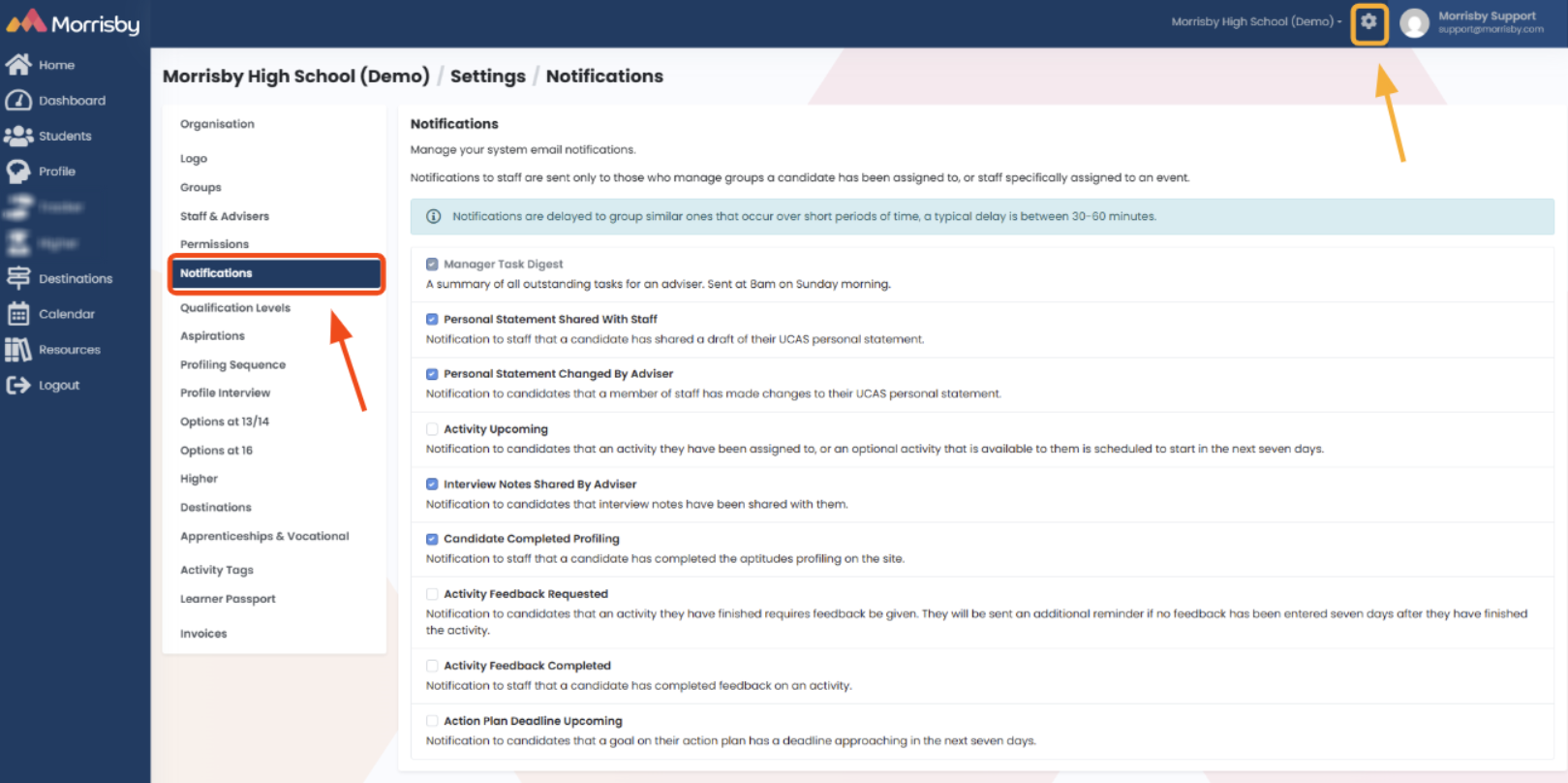
- Select 'Settings Cog' and then select 'Notifications', then tick the notifications you wish to use:
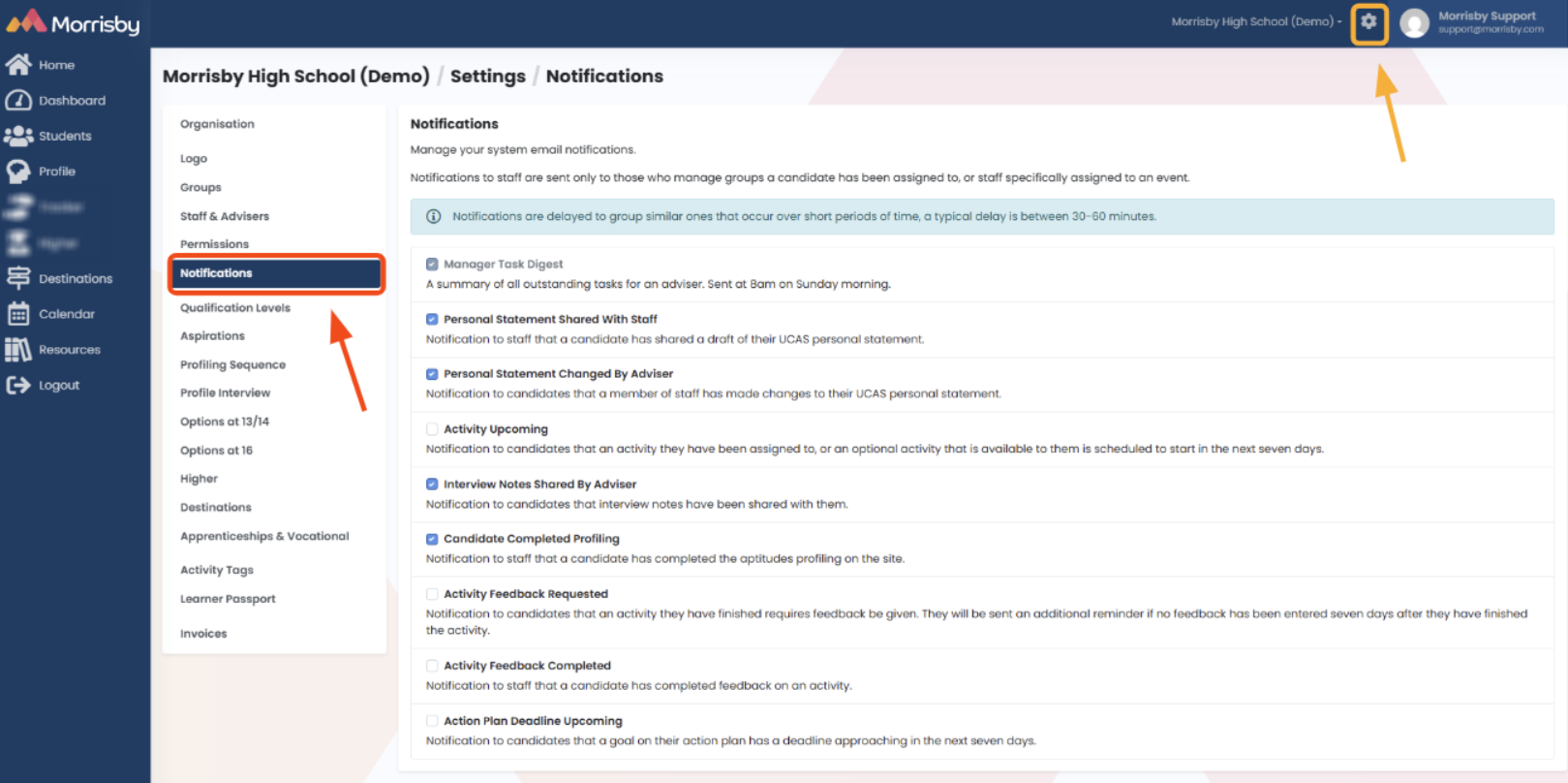
- Any changes made here are automatically saved as soon as you tick or untick an option
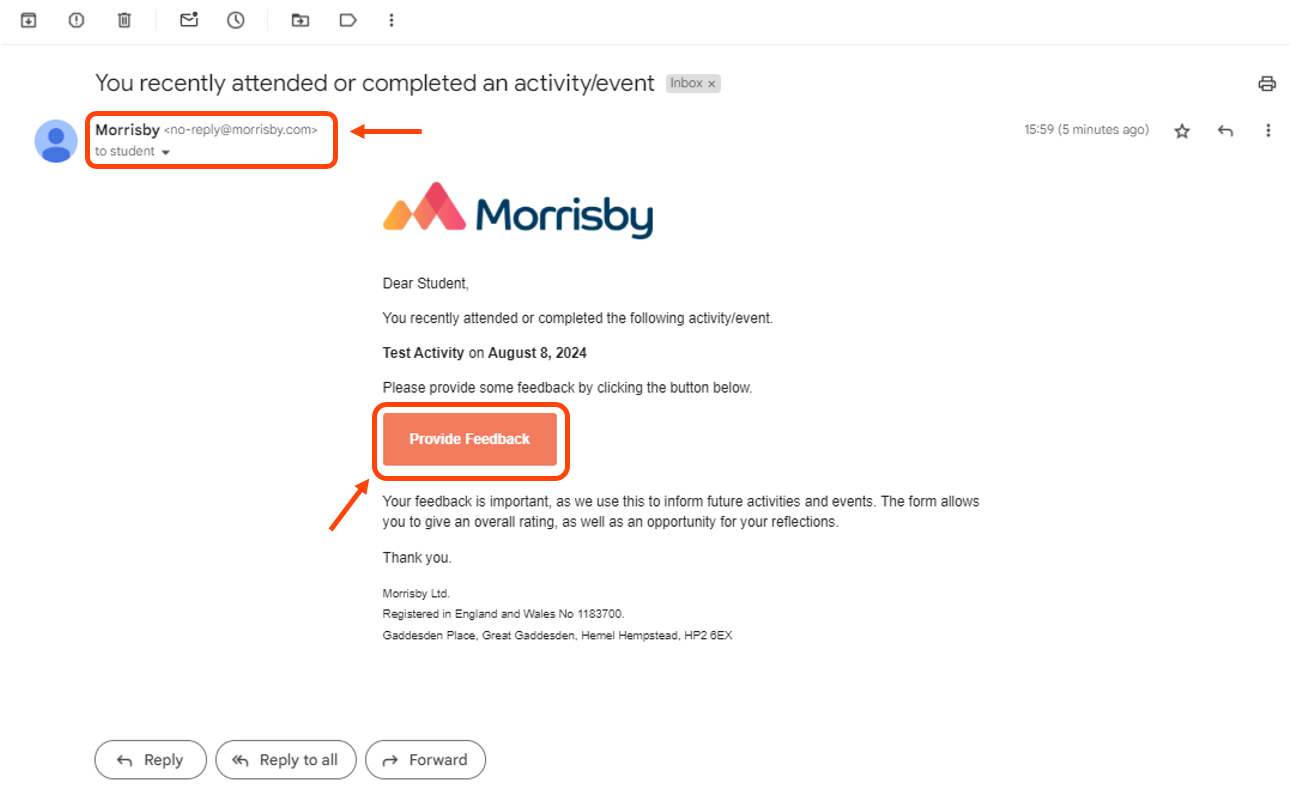
An example of the notification email to a student:
An example of the notification email to a member of staff:
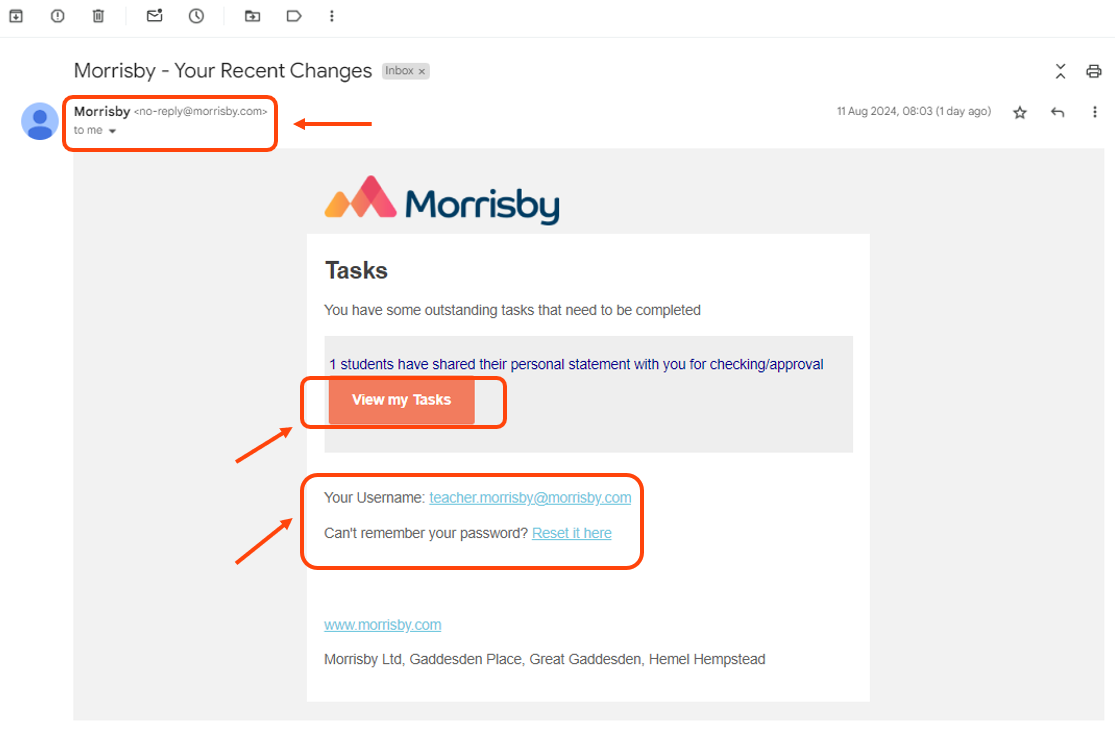
Please note that the email is sent from an automatic 'no-reply@morrisby.com' email address. If the recipient needs further support, they will need to reach out directly to their career adviser or the Customer Success team at Morrisby


