

- Log in to Morrisby Manager.
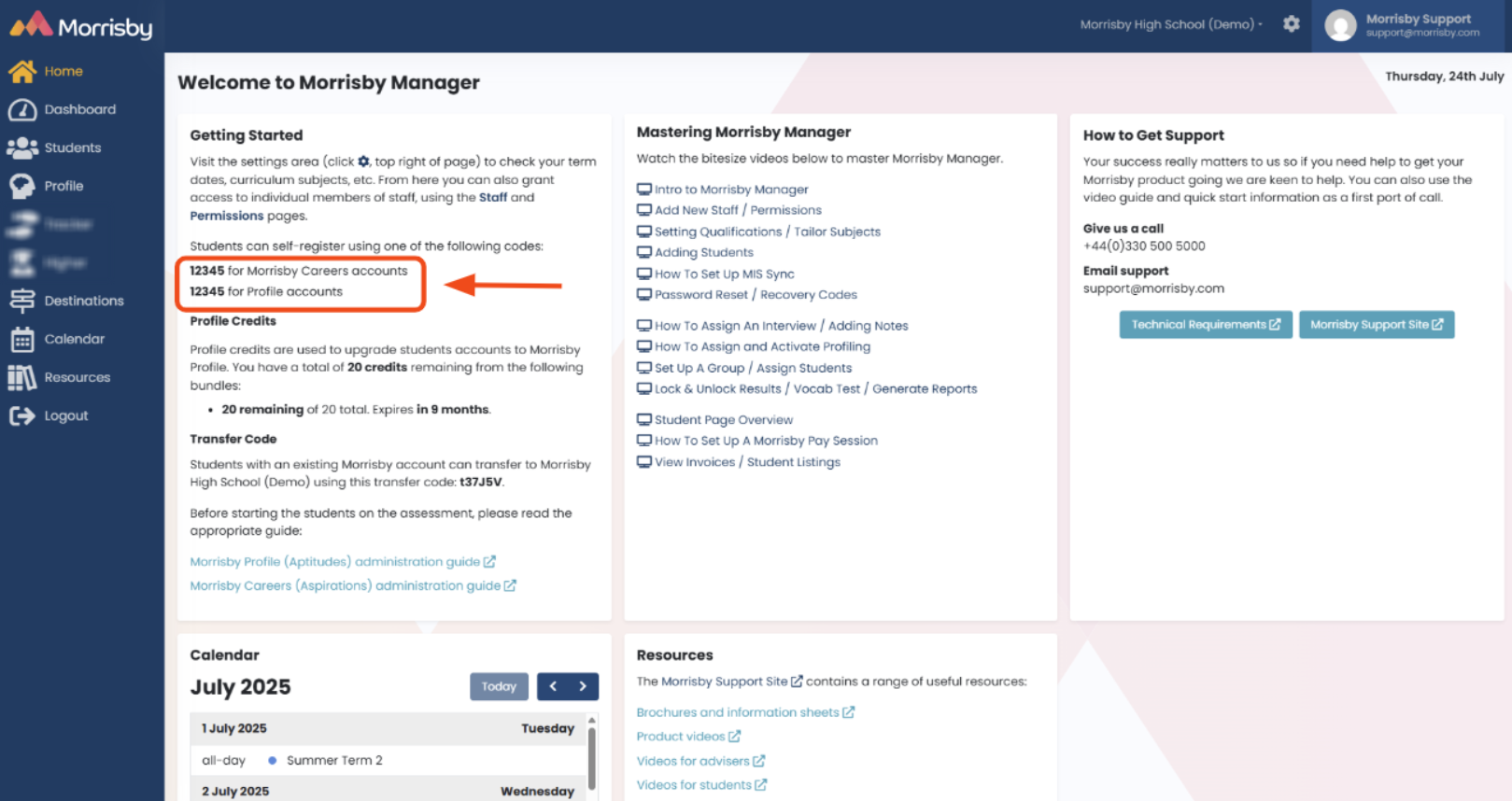
- You will be brought to the Homepage, which has a section called 'Getting Started' where your Morrisby Registration code(s) will be shown:
You can also locate your Morrisby Registration code via the Settings Cog as shown below.
- Select the Settings cog:
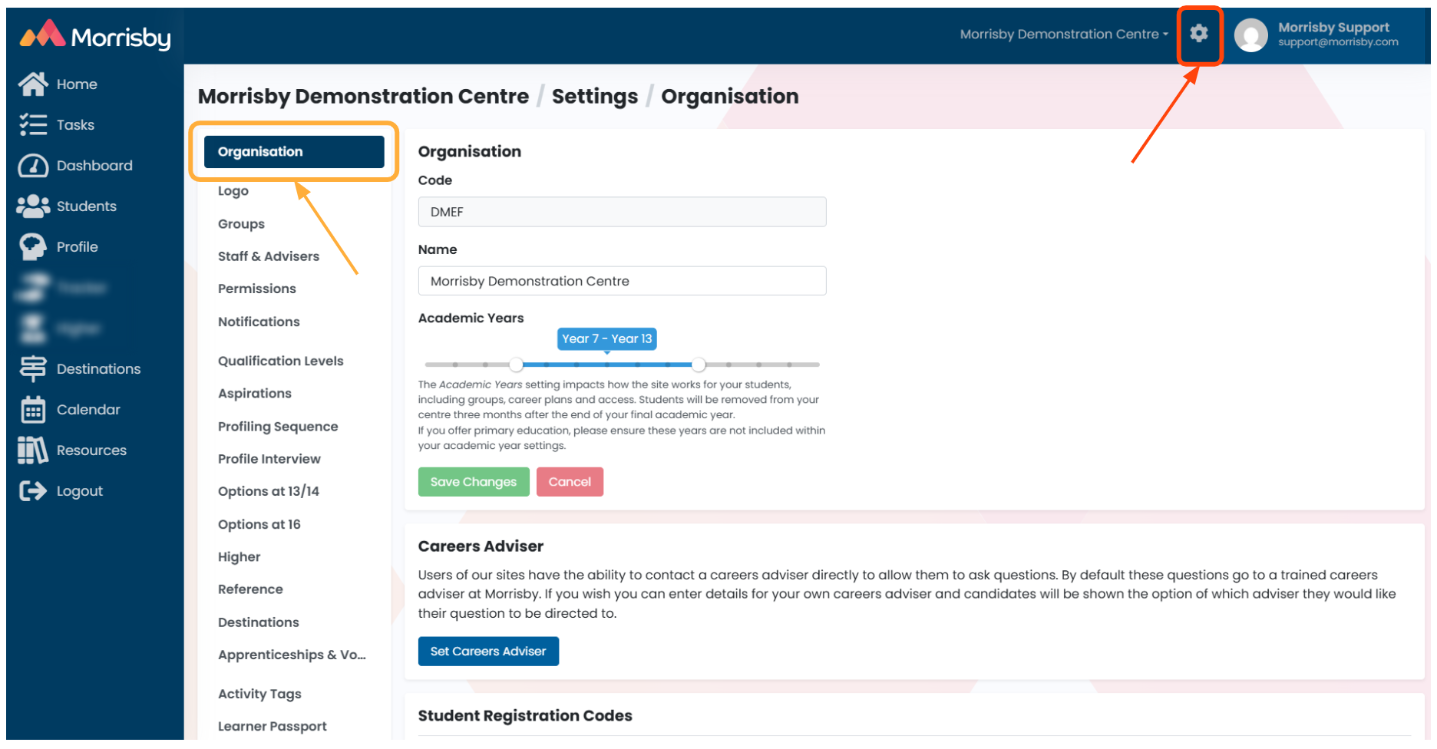
- Scroll down in 'Organisation' to the heading 'Student Registration Codes'. The code below is an example only.
- If the code credits have been pre-paid, you will also see the remaining number of credits:


