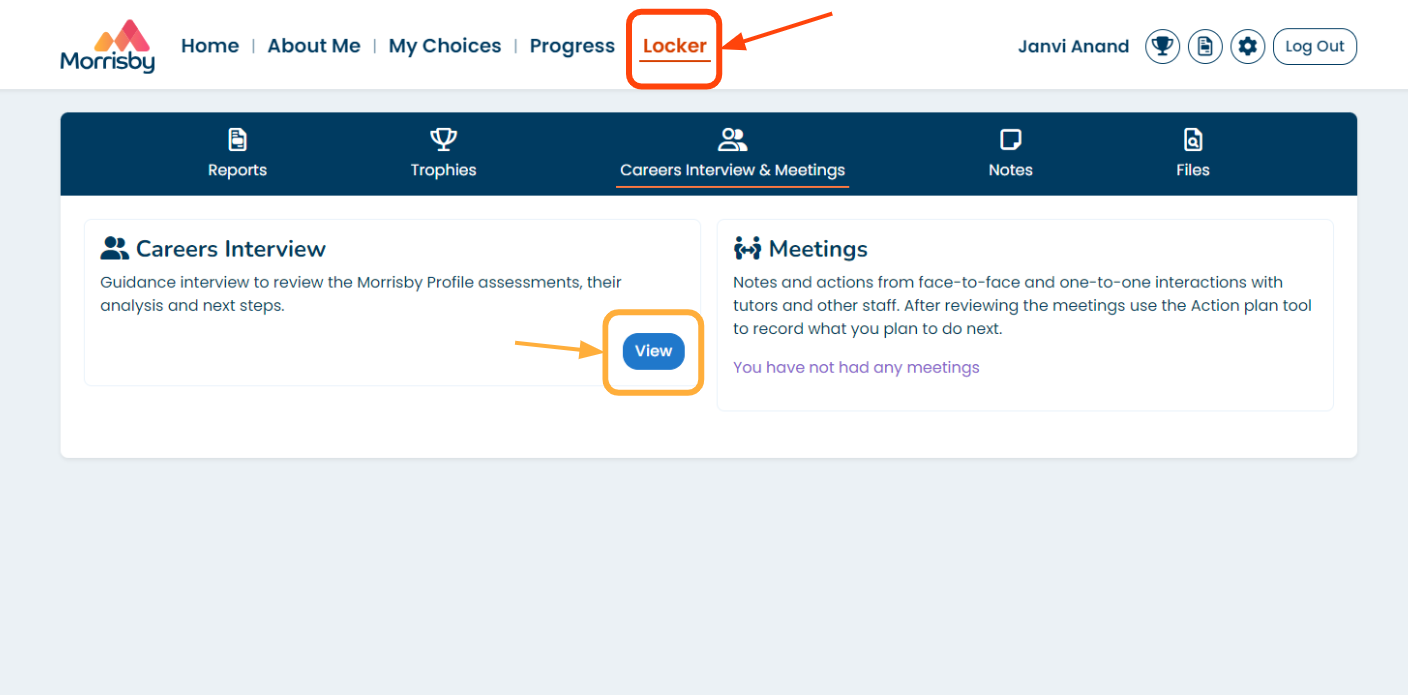
If you follow the instructions below, you'll be able to switch on the interview template:
- Log in to Morrisby Manager
- Select the 'Settings' cog
- Select 'Profile Interview'
- Switch the interview templates on:
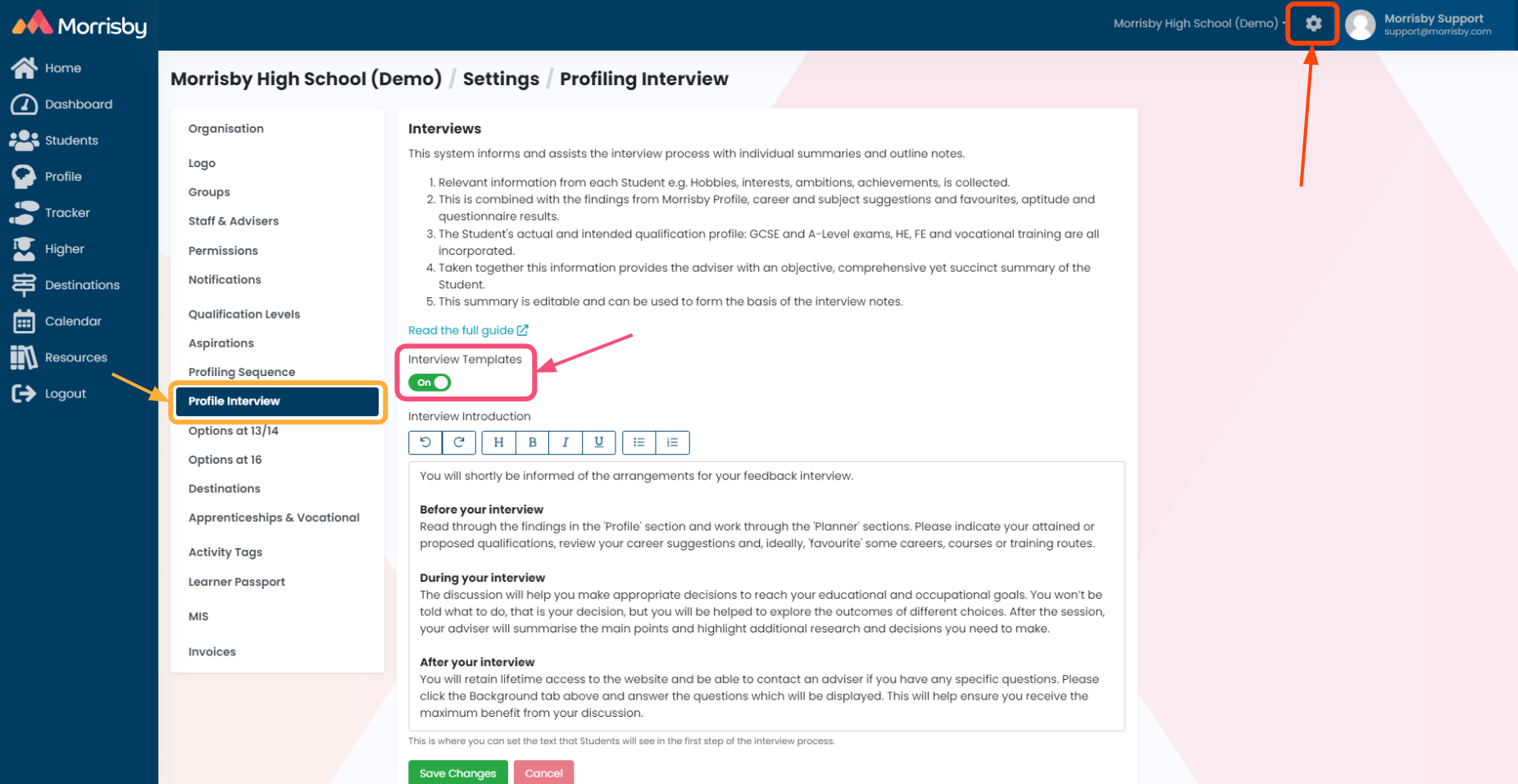
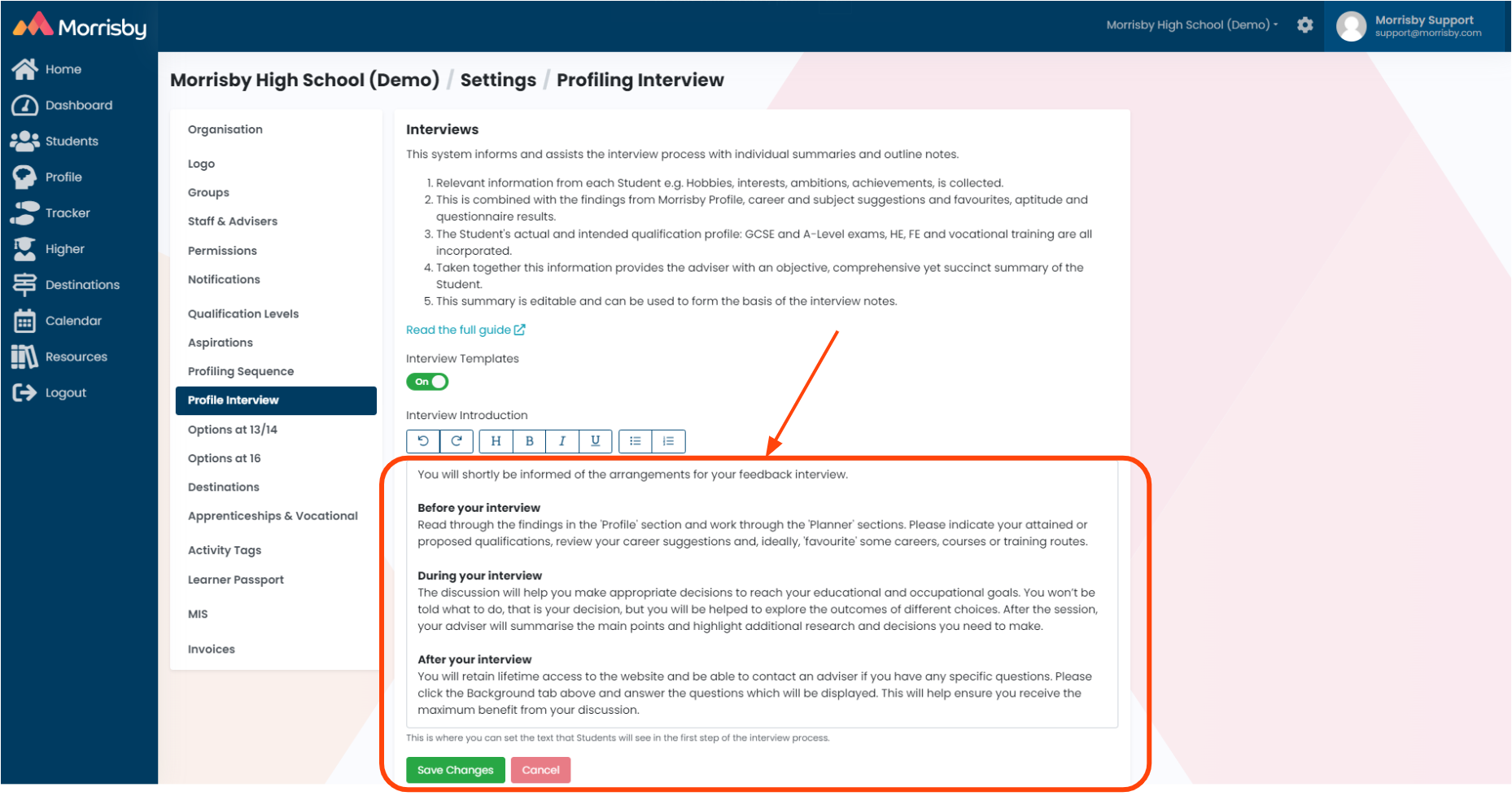
- Once you have switched on the template system, you can customise the text on the 'Interview Introduction' page of a student's account by editing the text under the heading 'Interview Introduction'
- SAVE any changes:
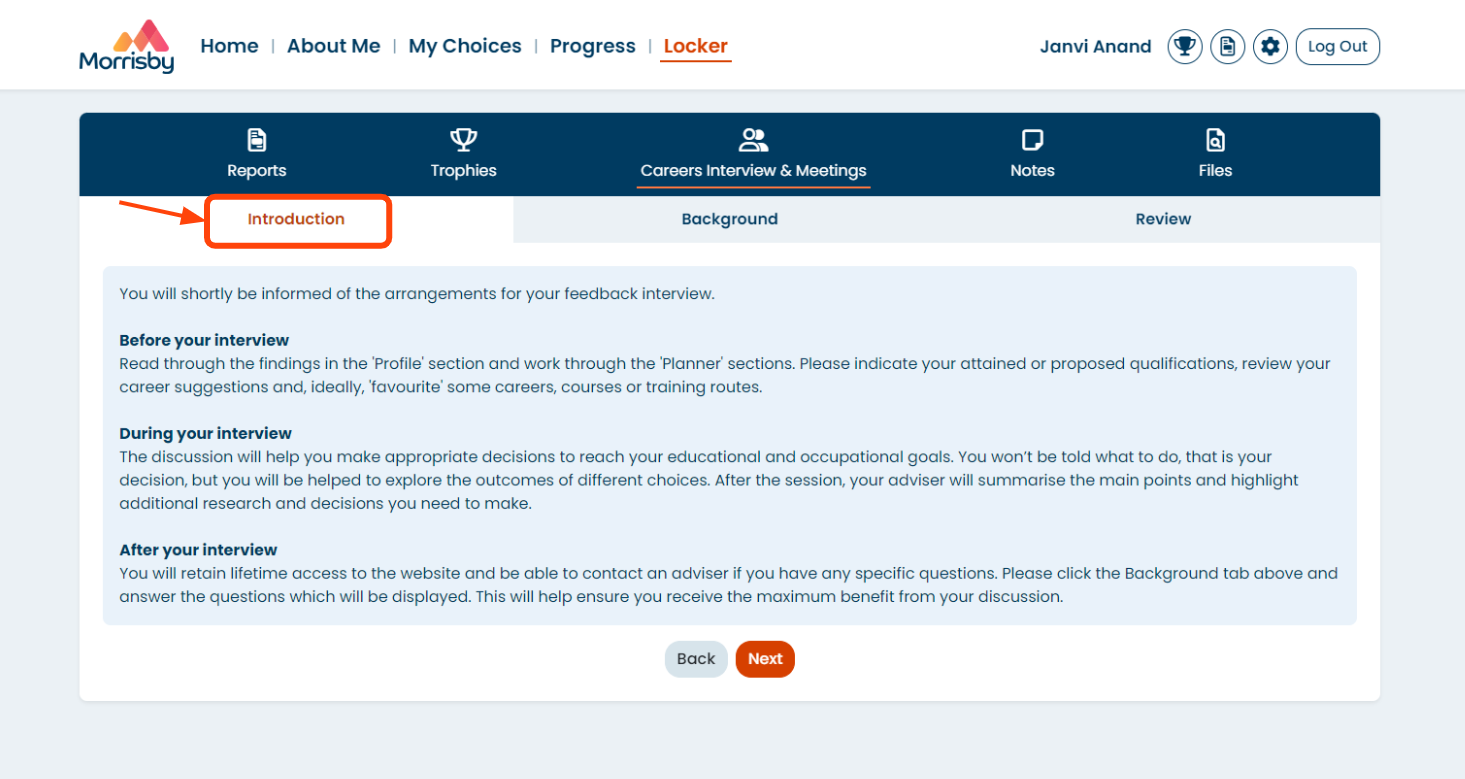
- When students log in, your customised introduction will appear in the 'Locker' area in 'Careers Interview & Meetings' on the ' Introduction' tab: