

This guide explains how to email students from within the Morrisby Manager.
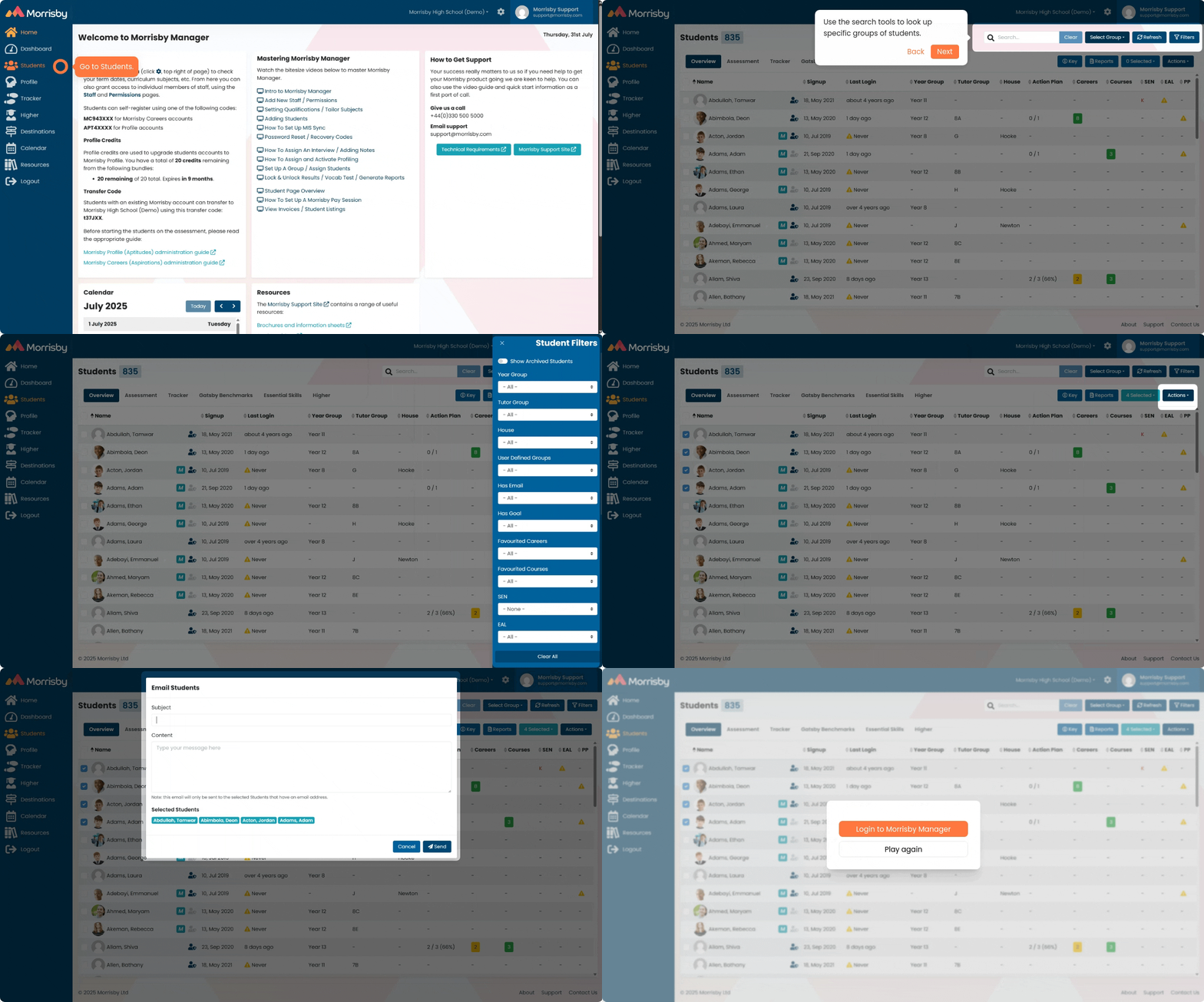
How to email students from within Morrisby Manager - Click here to view the video at your own pace
- Log in to Morrisby Manager.
- Go to Students.
- Use search tools like Select Group or Filters to narrow down your search
- Tick the students you want to email.
- Go to Actions and select Email Students.
- Write your email and click Send.
- The email will be sent from a no-reply email address. Please make sure to include your contact details in the email if needed.
- The email will be sent to the primary email address linked to the student account in Morrisby.
Old video:


