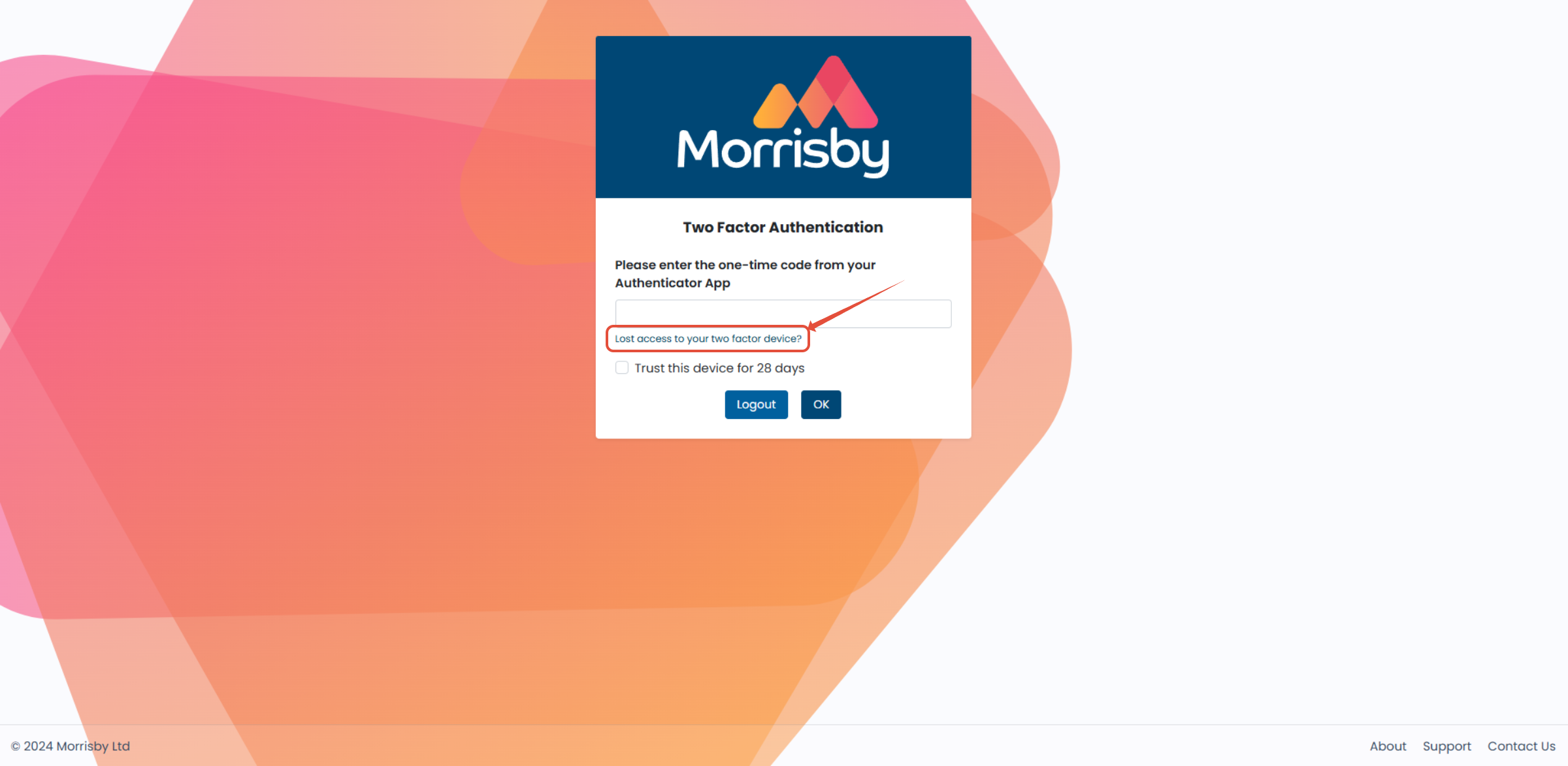
This guide will explain how to reset your two-factor authentication.
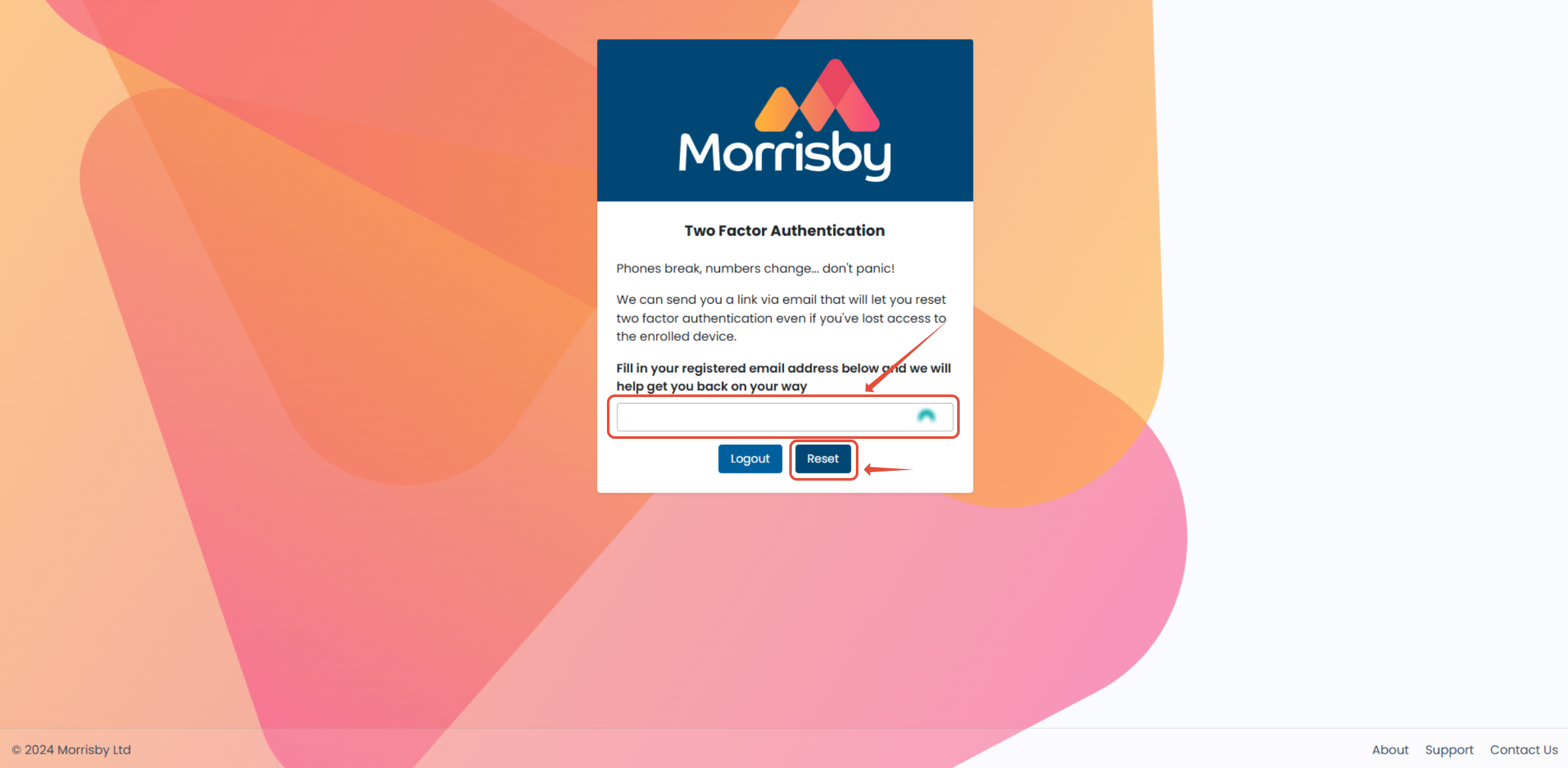
- You will be prompted to enter the email address associated with your account, then click 'Reset'
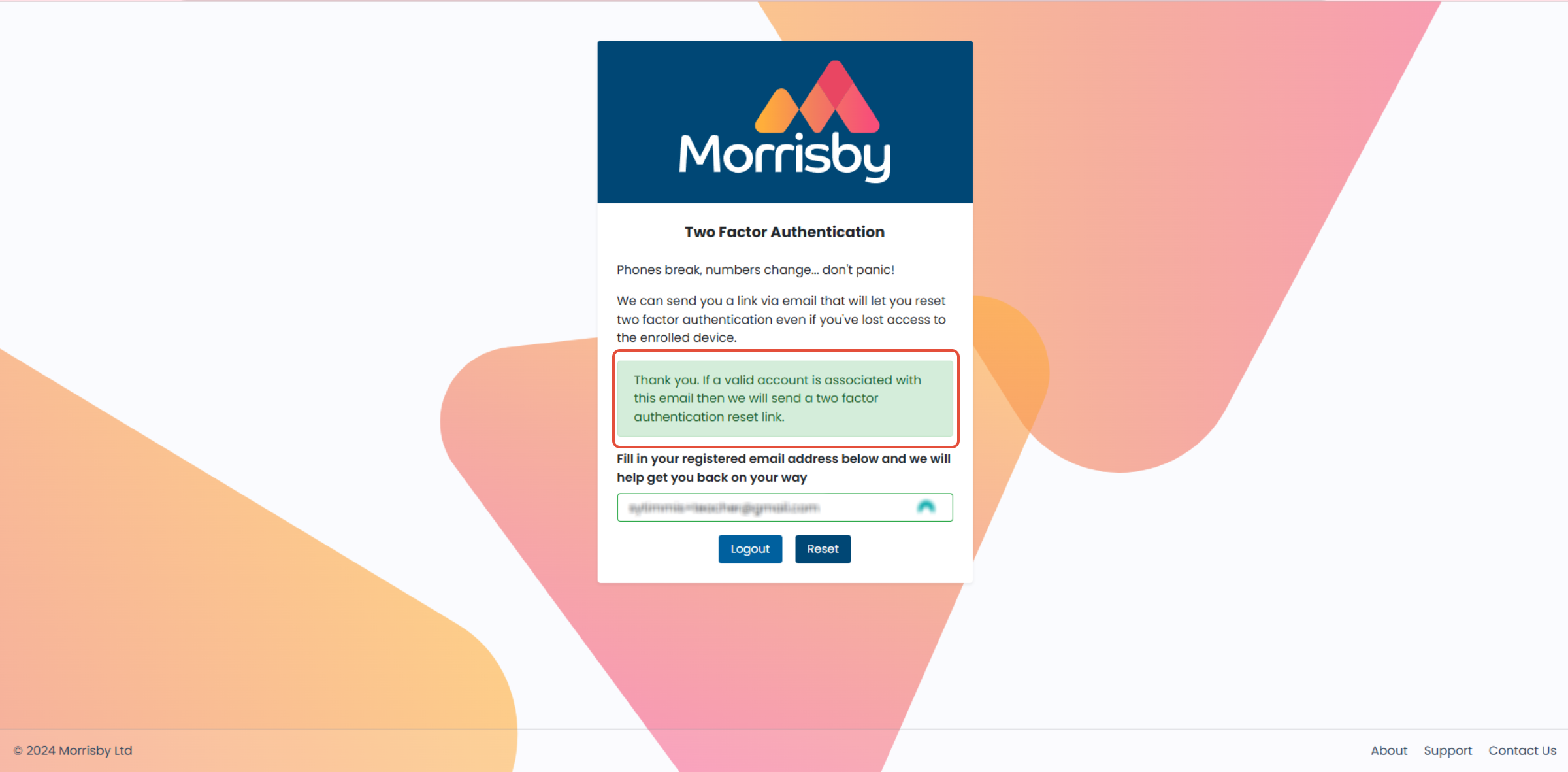
- There will be a pop-up message to let you know that a reset link has been sent to the entered email (as long as it is the correct email)
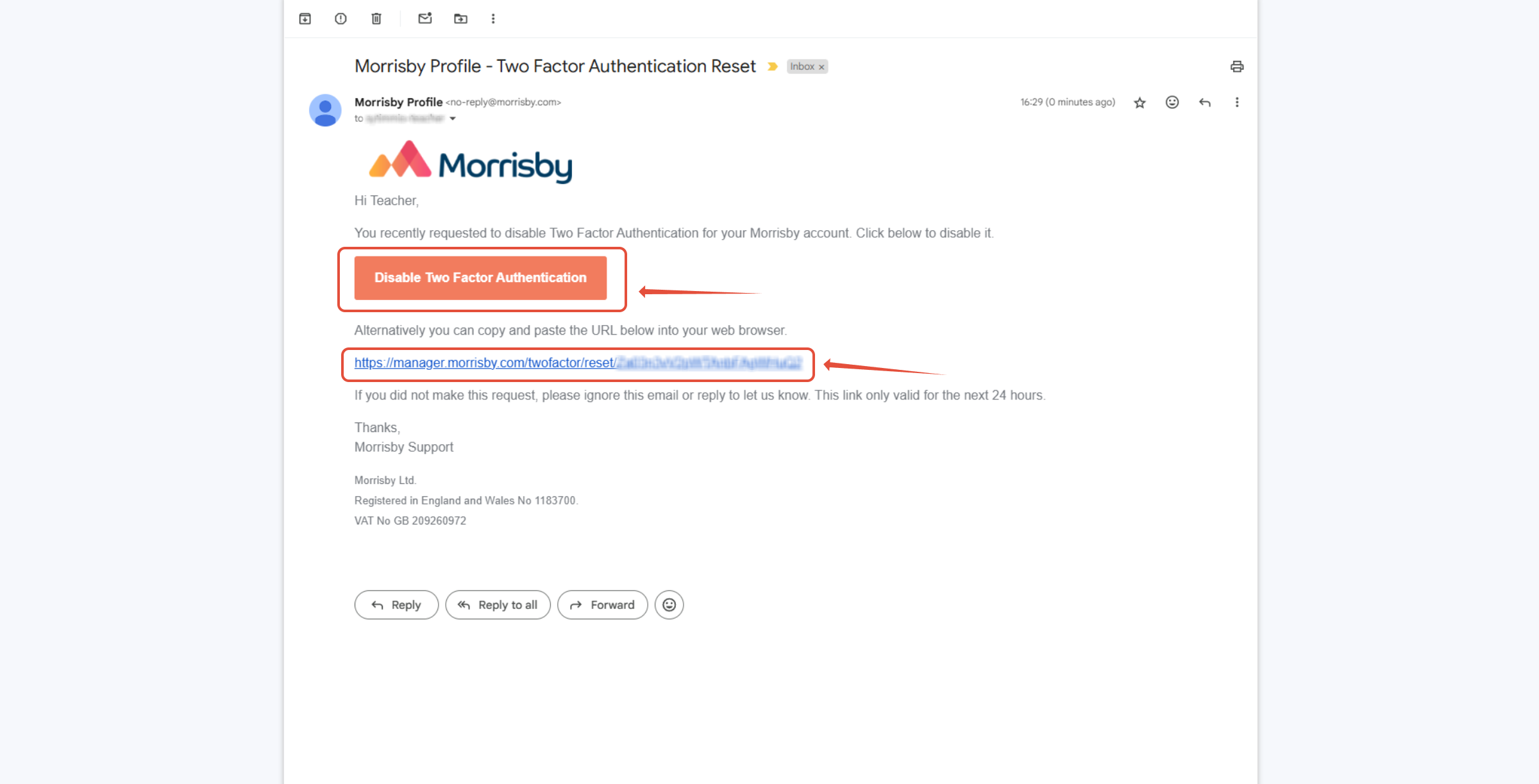
- You will be able to use the link in the email to reset your two-factor authentication and log in
- There will also be a link included to disable the two-factor authentication

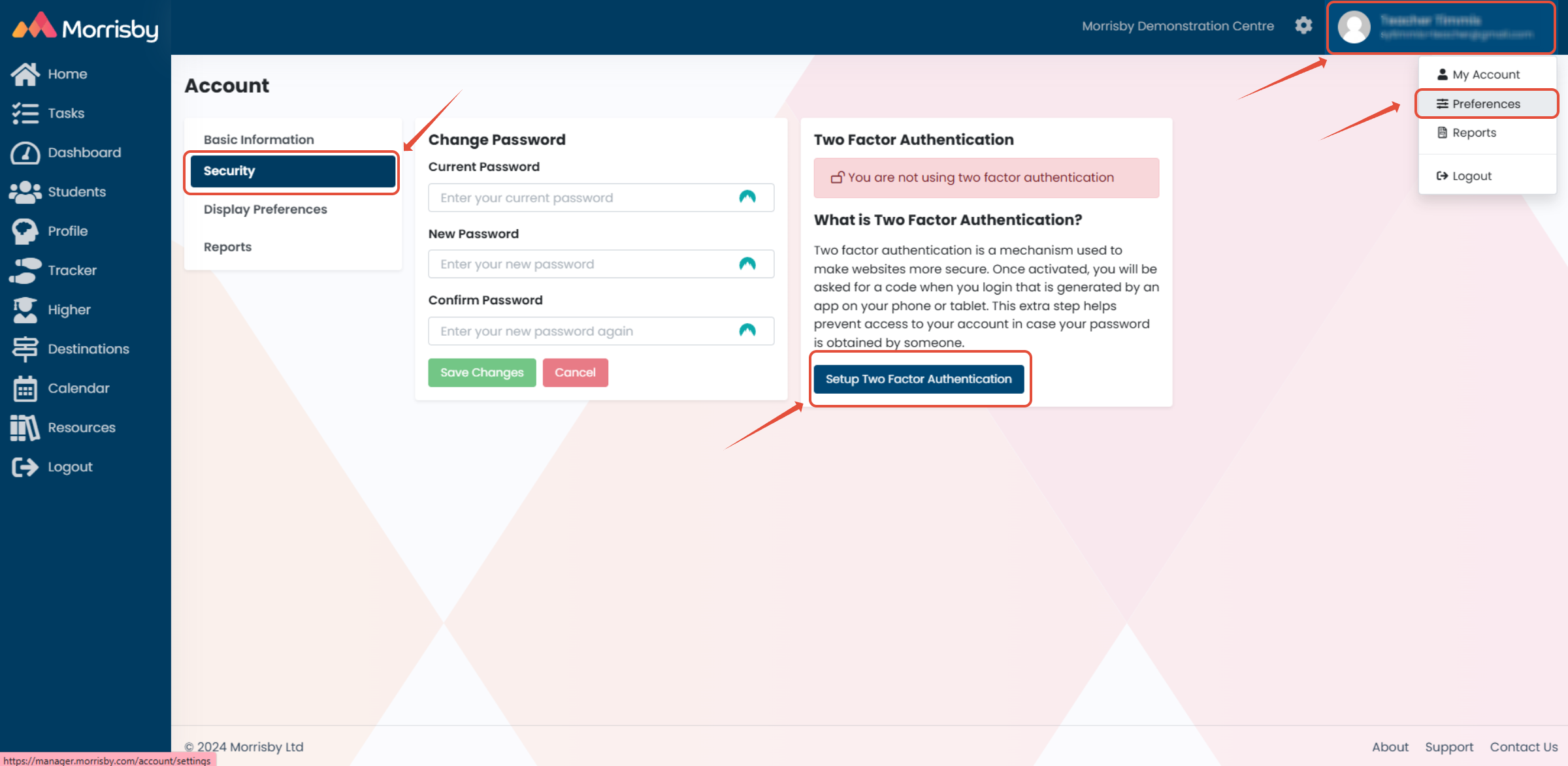
If you have not yet set up two factor authentication, you will be able to do so from within Manager as shown below: