

- To see existing groups or to add new custom groups, go to Settings > Groups.
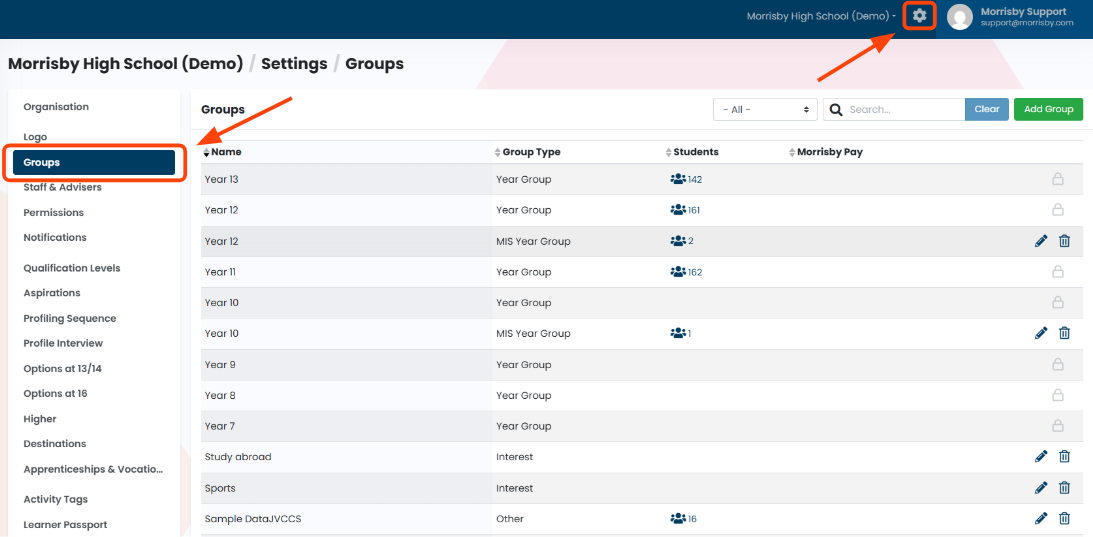
- Here you can edit or delete existing groups, add new groups or filter for specific group types.
- To add students to a group, head to the Students section.
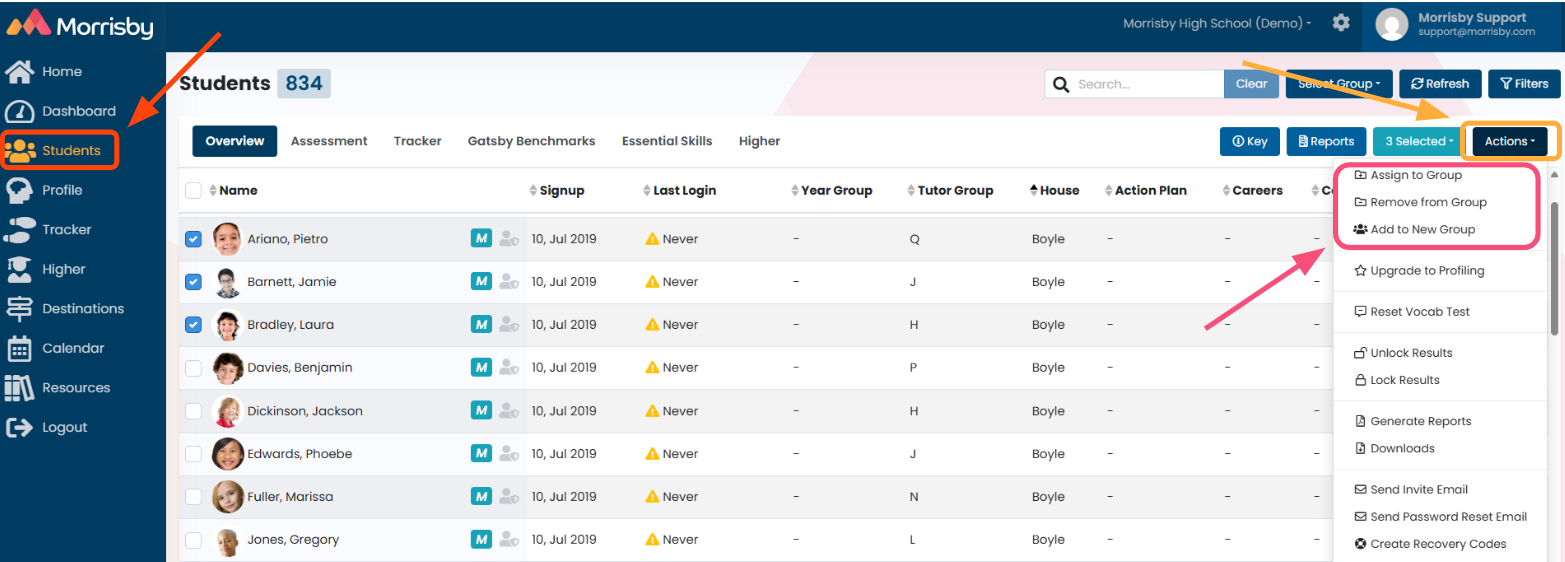
- Tick selected students, then go to Actions. Use one of the three options highlighted above.
- Assign to Group - assign selected students to an existing group.
- Remove from Group - remove students from groups they are already assigned to in bulk.
- Add to New Group - create a new group and assign selected students to it in one go.
- Once your groups are set up, use Filters or Select Group to view specific student accounts.


